


One App for Every Stage of Your Bar Exam Journey
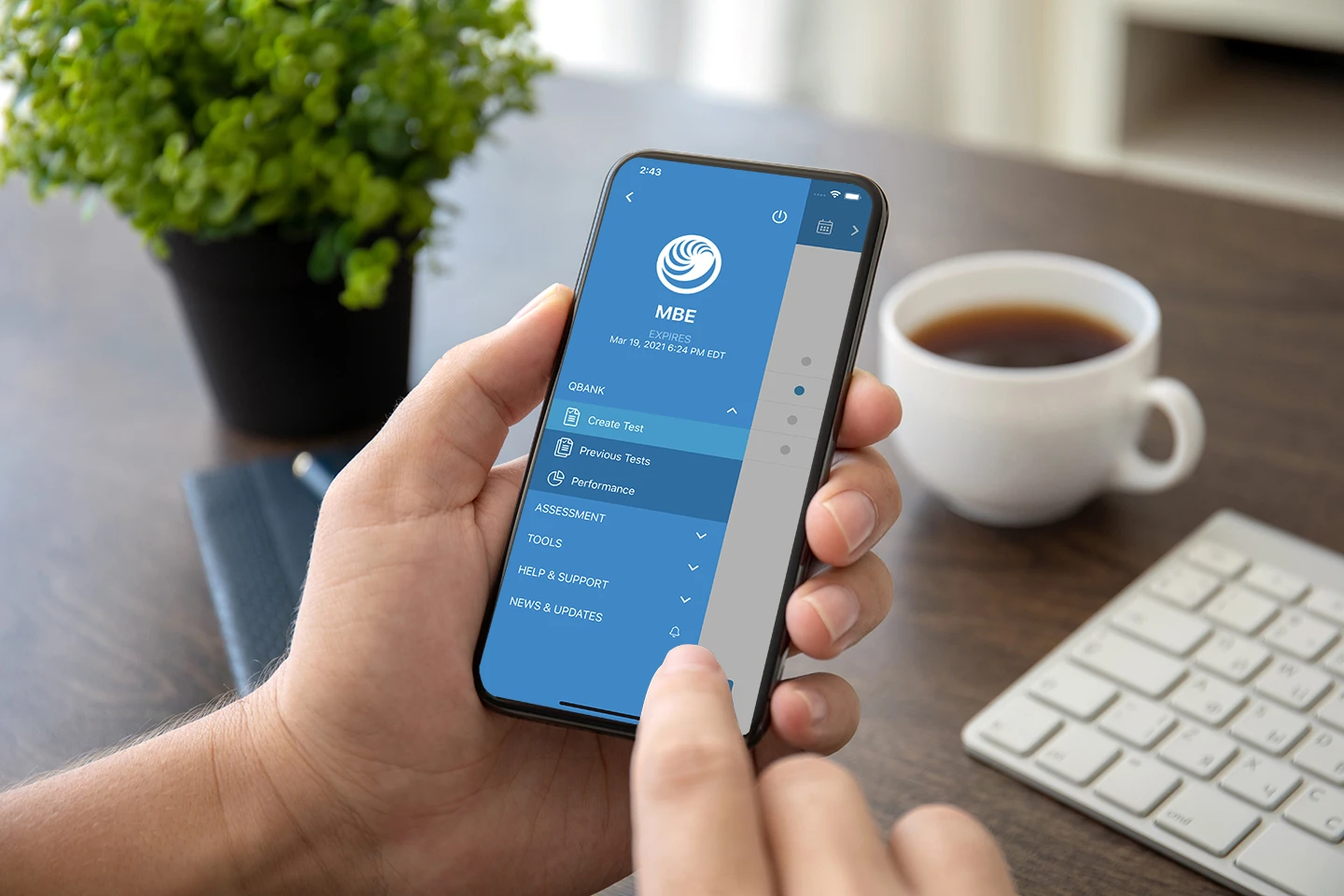
Whether you’re in law school, preparing for the Legacy Uniform Bar Examination (UBE®), or studying for the NextGen Uniform Bar ExaminationTM (NextGen UBE), the UWorld Bar Prep app puts courses built by experienced attorneys and legal educators in your pocket.
Bar Review
MBE® QBank
Law School Essentials®
MPRE® Review
Your Bar Prep Wherever You Go
Transform the way you study with smart tools that go wherever you do. Everything you need to succeed is right at your fingertips, whether on the move or at home.
Master Legal Concepts Anywhere
Every lecture is taught by experienced attorneys and legal educators, broken into short segments you can watch anywhere:
- Watch lectures live or on demand
- Jump straight to the topic you need
- Build around real exam scenario
Keep Your Study Tools Handy
Flip through flashcards before class, jot a note after lecture, and check your calendar. Every tool stays with you:
- Practice flashcards anywhere
- Save concepts to your notebook
- Follow your adaptive calendar
*Spaced-repetition flashcards and My Notebook are available only
for MBE and MPRE courses.
Know What to Study Next
After every practice test, see exactly where you stand, broken down by subject and by question type, instantly:
- Get essay feedback through UGrader
- Track skills with Skills SnapshotsTM
- Benchmark against thousands of peers
Everything You Need. Anywhere You Study.
With the UWorld Legal app, your Bar Review, MBE QBank, MPRE Review, and law school prep all travel with you, so wherever you’re studying, you’re never without what you need.
Hear What Our Students Are Saying …
Frequently Asked Questions (FAQs)
How do I download the UWorld Legal bar prep app?
The UWorld Legal bar prep mobile app is available for both iOS and Android devices. You can download it directly from the Apple App Store or Google Play Store and sign in with your existing UWorld account to pick up right where you left off. Once downloaded, you get immediate access to all the courses included in your subscription, from Bar Review to MBE QBank to MPRE Review. Your progress, bookmarks, and notes sync automatically across every device you sign in on, so nothing is ever lost between sessions.
What can I do with the UWorld Bar Prep Mobile App?
The UWorld Bar Prep Mobile App gives you full access to your bar prep course from anywhere, including practice questions, detailed answer explanations, flashcards, My Notebook, and performance analytics. You can work through your Bar Review course, MBE QBank, MPRE Review, or Law School Essentials materials, all from one app. After every practice session, you can review your performance broken down by subject and question type to know exactly where to focus next. Your progress automatically syncs across every device you sign in on, so your prep is always current no matter where you study.
Can I use the UWorld mobile app for NextGen bar exam preparation?
Yes. The UWorld Bar Prep mobile app fully supports NextGen UBE preparation through your Bar Review course, including QSets practice and Skills SnapshotsTM targeting the National Conference of Bar Examiners’ (NCBE®) Foundational Skills. You can drill integrated question sets, track skill-level performance, and continue studying wherever you are, on the same app used for Legacy UBE and MBE prep. Everything is built into one experience, so you never need a separate tool or platform for NextGen-specific study.
Can international candidates use the UWorld Bar Prep mobile app?
Yes. If you’re enrolled in Themis + UWorld’s International Bar Review course, built specifically for foreign-trained candidates, you get free access to the same bar prep mobile app as every other Themis + UWorld student. The app gives you the same full course experience on mobile as on desktop, so you can study on your schedule from anywhere. Course availability is currently limited to a select group of jurisdictions, so confirm your state is supported before enrolling.
Can I study offline with the UWorld Legal mobile app?
Yes. Some study materials may be available for offline access after they have been downloaded, while other features require a connection to sync progress and load new content. For the most reliable experience, we recommend downloading any materials you plan to review before going offline. Features like performance analytics and progress syncing require an active connection to update in real time. Check the app settings to see which content is available for offline use within your subscription.
Does the mobile app sync my progress across devices?
Yes. Your progress is tied to your UWorld account, so everything syncs automatically across desktop, tablet, and mobile whenever you are connected. A practice session you start on your laptop picks up exactly where you left off on your phone, with no manual saving required. Your bookmarks, notes, and performance data all stay current across every device you sign in on. This makes it easy to move fluidly between study environments without losing momentum.
Can I access flashcards and My Notebook in the mobile app?
Yes. The mobile app gives you full access to flashcards and My Notebook so you can review key concepts and save notes while studying on the go. Spaced-repetition flashcards are available for MBE and MPRE courses, letting you drill legal concepts in short sessions throughout your day. My Notebook syncs across devices, so any notes you save on mobile are instantly available on desktop and vice versa. Both tools are designed to work together, so your flashcard sessions and notebook entries reinforce the same material you are working through in your QBank.
Can I practice MBE and NextGen questions in the mobile app?
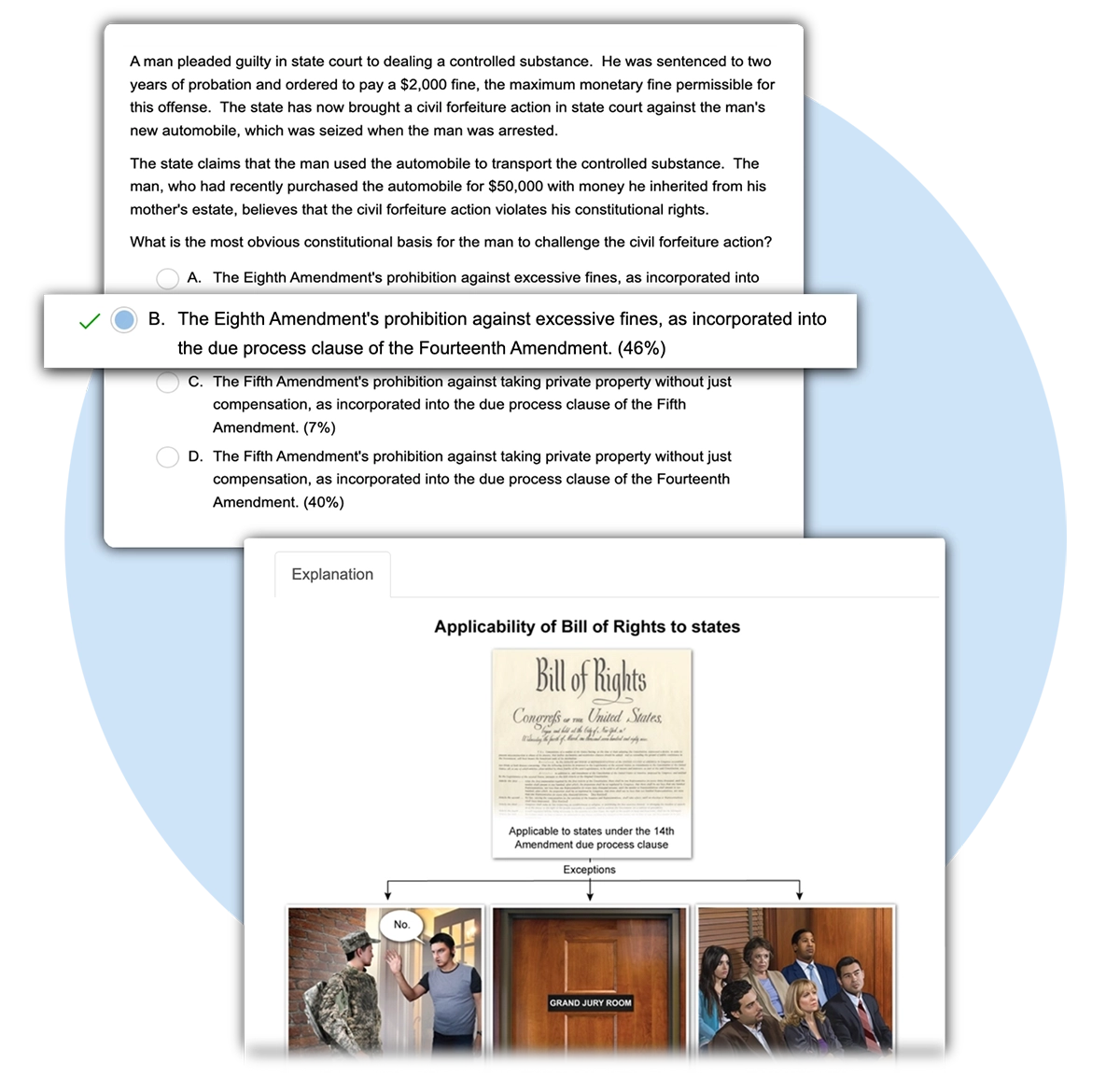
Yes. Depending on your subscription, you can access MBE practice questions and NextGen UBE study materials through the mobile app, helping you stay prepared wherever you study. MBE QBank users get access to 1,900+ exam-level questions, including 1,150+ NCBE-licensed questions, with full explanations and visual aids on mobile. NextGen UBE candidates can work through QSets practice and track Foundational Skills performance directly in the app. The mobile experience mirrors the desktop version, so question quality and explanation depth are identical regardless of the device you use.
How does the mobile app help me prepare for the bar exam?
The UWorld Legal mobile app fits bar exam prep into your daily routine by giving you full access to your course materials, personalized learning tools, and progress tracking, whether you are preparing for the Legacy UBE or the NextGen UBE. It is the same course experience as the desktop version, built to travel with you so you can study during a commute, between classes, or whenever you have a few minutes. Performance analytics update after every session, so you always know which subjects need attention and can adjust your focus accordingly. With lectures, practice questions, flashcards, and your notebook all in one place, the app removes every barrier between you and your next study session.
Explore UWorld Bar Exam Features
Review key bar exam concepts with interactive flashcards and strengthen retention through active recall. Create personalized SmartCards or study expert-built ReadyDecks to reinforce your learning.
Create customizable notes using QBank text, illustrations, or your own content. Organize everything with tabs and tags, then access your synced notes across devices.
Prepare with an adaptive study plan, expert-led lectures, practice questions, and unlimited essay grading. Get integrated UWorld MBE QBank access and personalized support.